
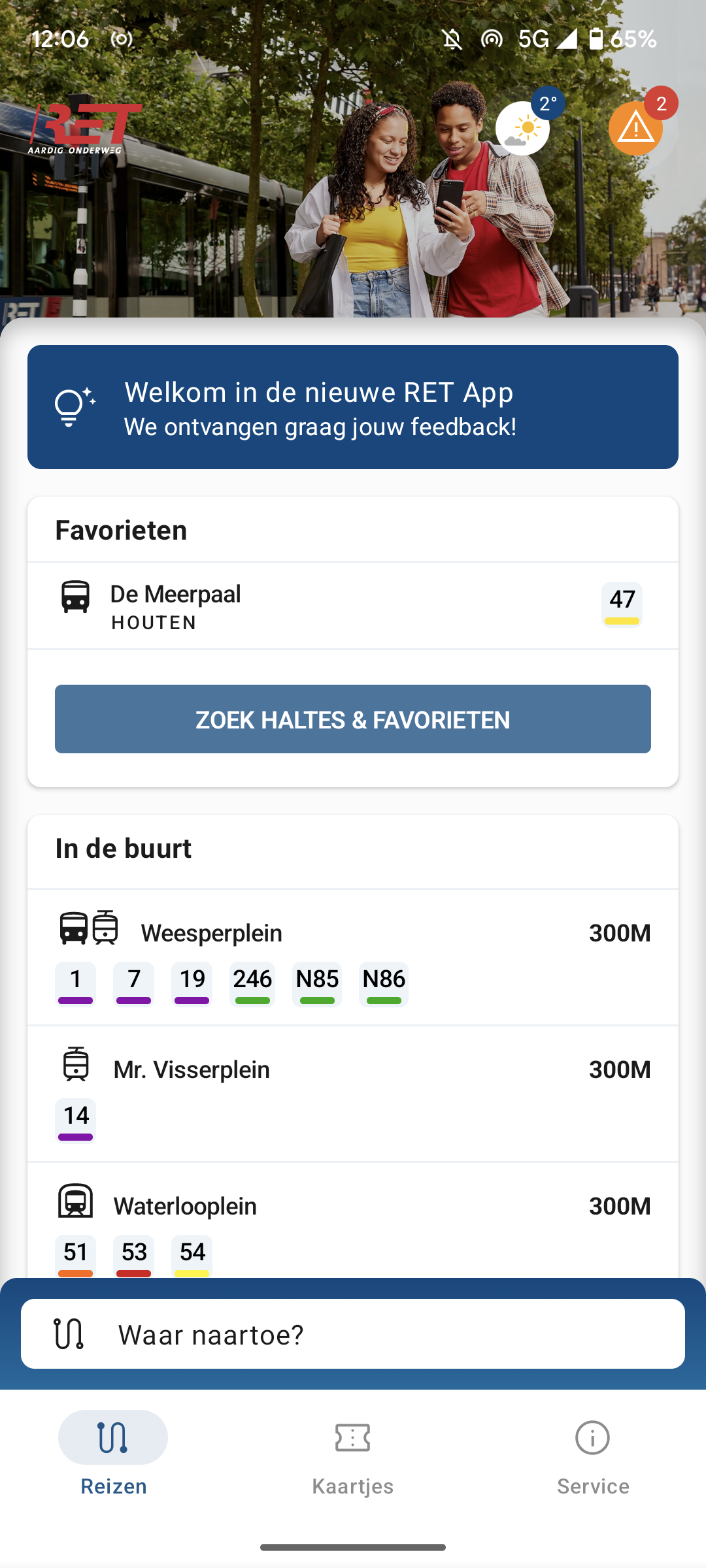
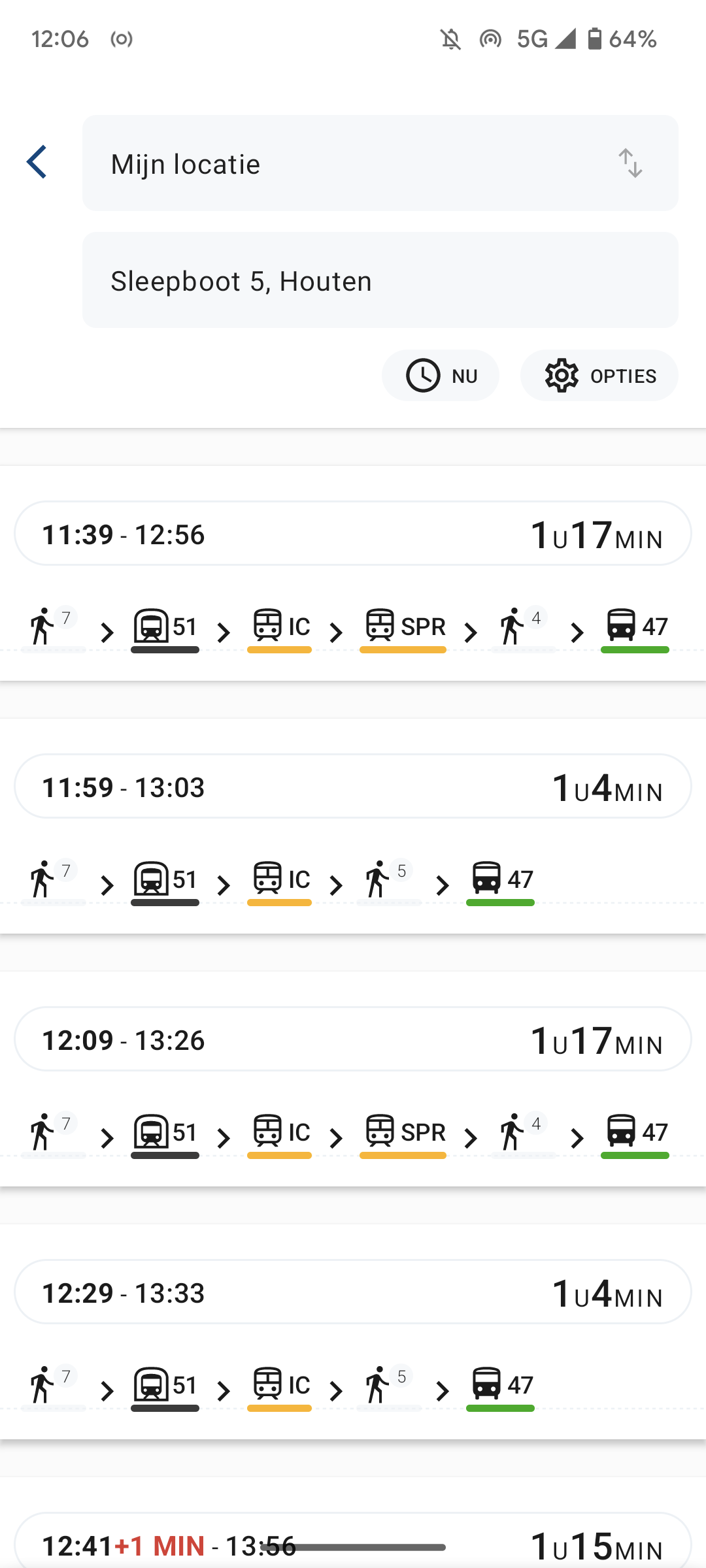
Last week we achieved a big milestone, we sold our first ticket ever after we ‘soft launched’ the new RET app, i.e. we made the app publicly available without starting a marketing campaign for it. RET is the operator of trams, buses and metros in the region of Rotterdam. One of the main new features in the new RET app is buying tickets. This feature is specifically targeted to people that normally don’t use public transport (for example Tourists) and don’t own an OV-chipkaart. In this blog I would like to share how we developed this functionality.
Start of process
Most of the time our designer (Hans) and I start the design process together. Based on the requirements of our client, documentation of the third party api’s and good and bad experiences with other public transportation apps (within the Netherlands and abroad) we sketch a wireframe design for the flow of the new functionality. During this process we challenge ourselves to make it as easy and clear as possible for the user of our application. This sounds simpler than it is. In this case we did 4-5 iterations to simplify the wireframe flow further and further. Based on this flow our designer starts making the real designs and shares those with the team and with the customer.
Making things simple
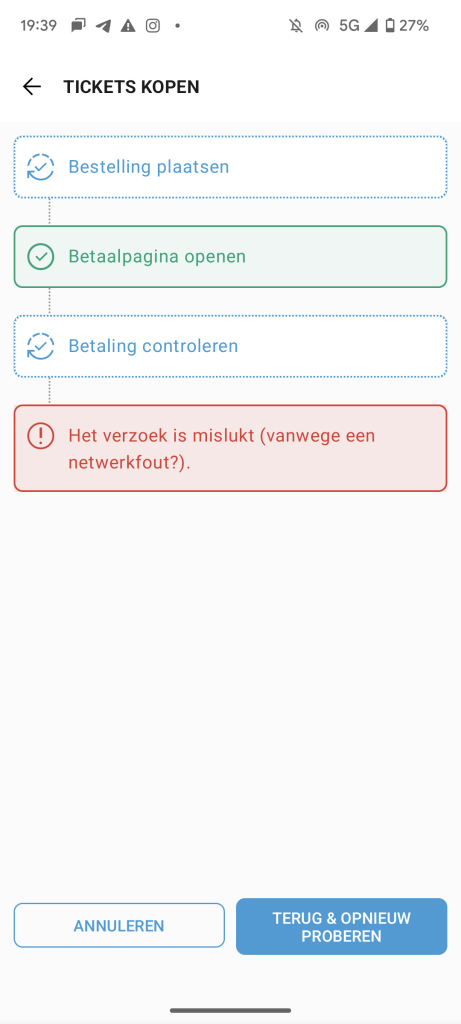
In the past the RET had a separate app for selling barcodes, in that app it was required to create an account and fill in a lot of personal information like your address etc. In our opinion that was way too much hassle for an incidental traveler. We wanted to make it possible for a traveler that doesn’t have the RET app installed on his phone to get a valid ticket within 60s. Therefore we decided that we want to use anonymous accounts (we use firebase authentication) within our app that don’t require any manual registering. Another requirement we had for ourselves is that the functionality should work super reliably, nothing is more annoying than a service where you are paying for is not working as expected. We therefore did have extra attention for the non-happy user flows, to communicate as clearly as possible to the traveler what is going on.

For this feature we had to implement both the backend and integration in the app. The nice thing about that is that before we start developing, we can decide for ourselves what functionality should be in the backend and what functionality should be in the frontend. That makes really tight vertical integration possible and reduces the amount of development effort. The technical details about the backend may be a topic for another blog post in the future.
User experience
Enough about the process, let’s have a look at what it looks like in reality. This is what the user experiences the first time the app is opened. A user can multiple tickets at the same time, so with one phone it’s possible to travel with multiple persons.
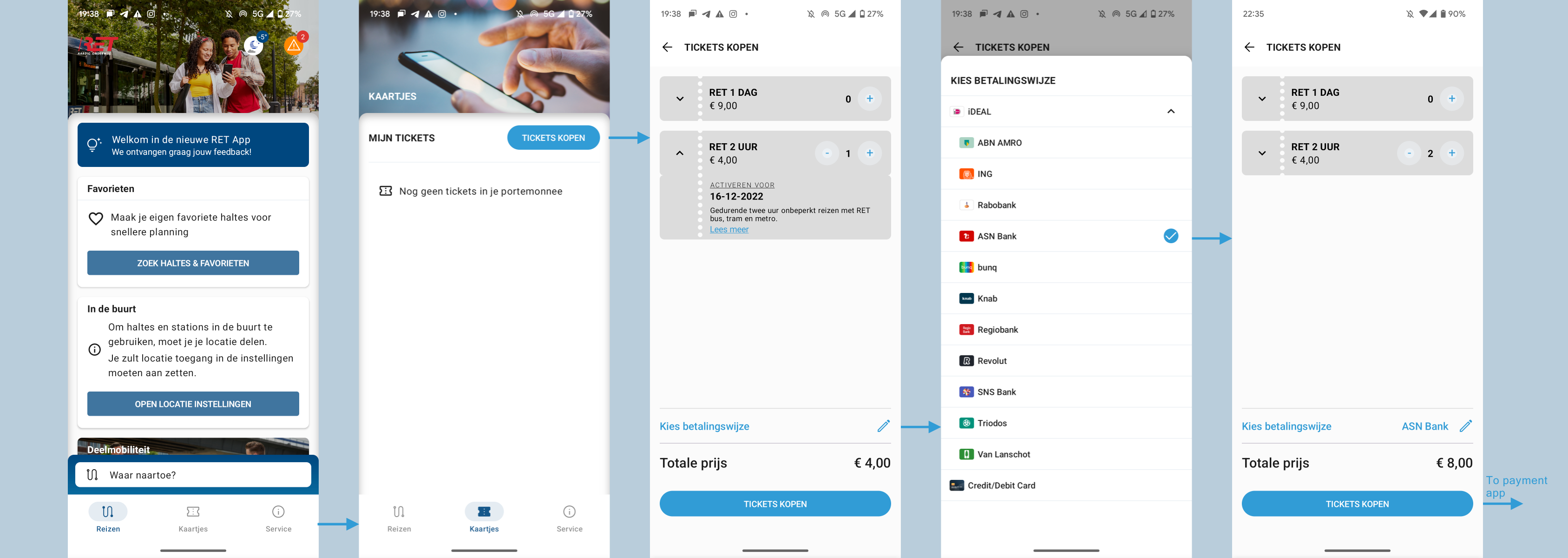
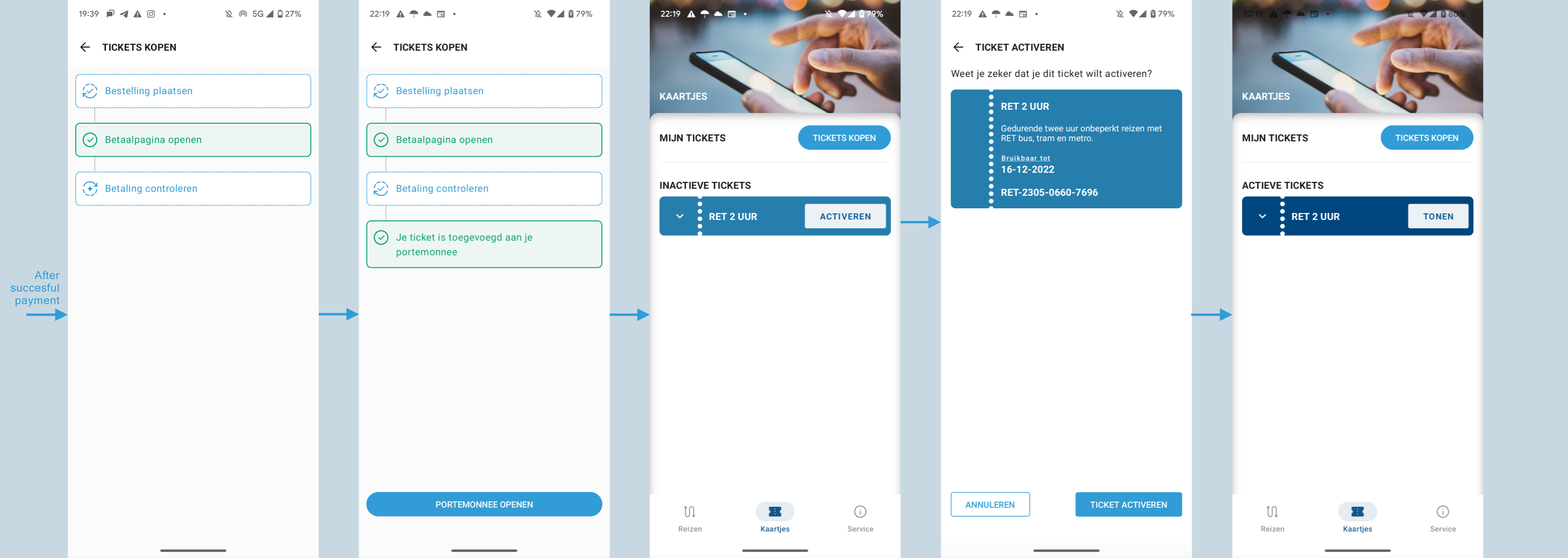
When the user is returning to the app, we check the status of the payment, when successful the tickets are added to the wallet and the user can activate the tickets from there.
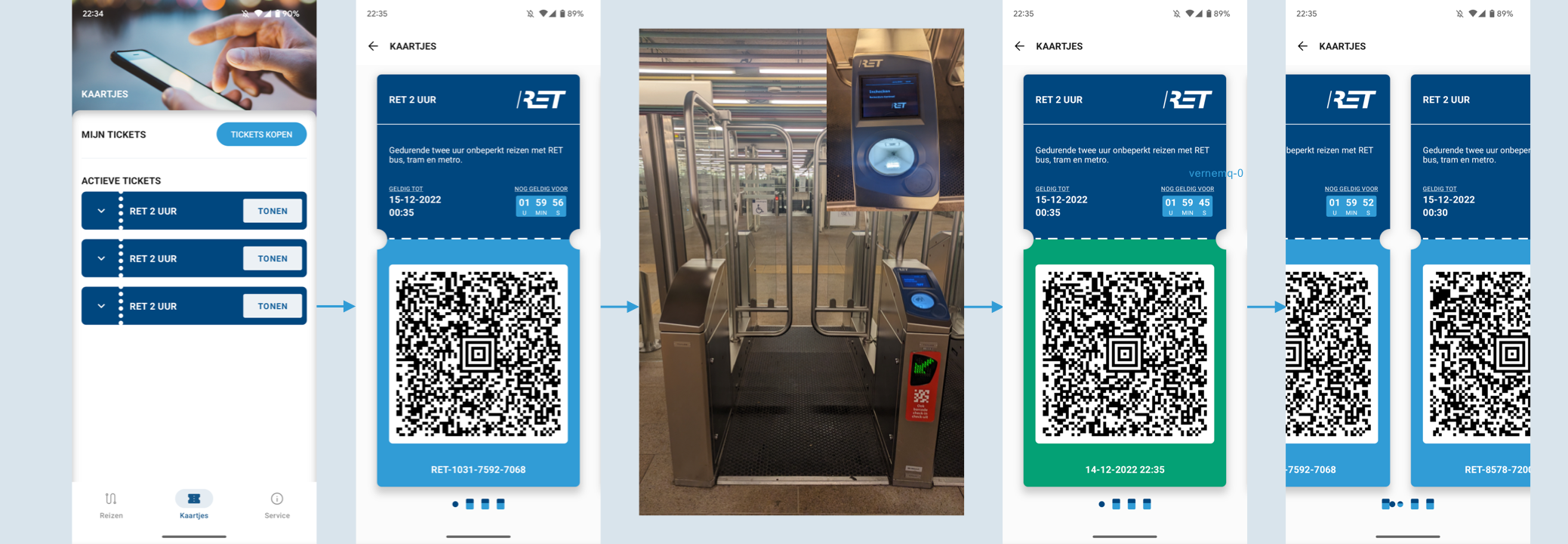
The user needs the barcode to check-in when a bus, tram or metro is entered. To make that process as flawless as possible we had to fulfill some challenging non everyday requirements. When we show a barcode we make the screen as bright as possible, suppress Apple Pay (we had to request a special permission from Apple to be allowed to do so) / NFC to prevent interfering with the NFC readers and to make it more difficult to fraud we had to make it impossible to take a screenshot from the barcode. Besides that we implemented some methods for doing visual inspection by conductors.
These were the insights I would like to share with you. What I liked during the process is that every team member made suggestions for refining the UX more and we were able to include many into the app. I truly believe that we developed as a team something to be proud of, and the first data is also supporting that. We sold way more tickets than expected in the first week without receiving any questions or complaints.
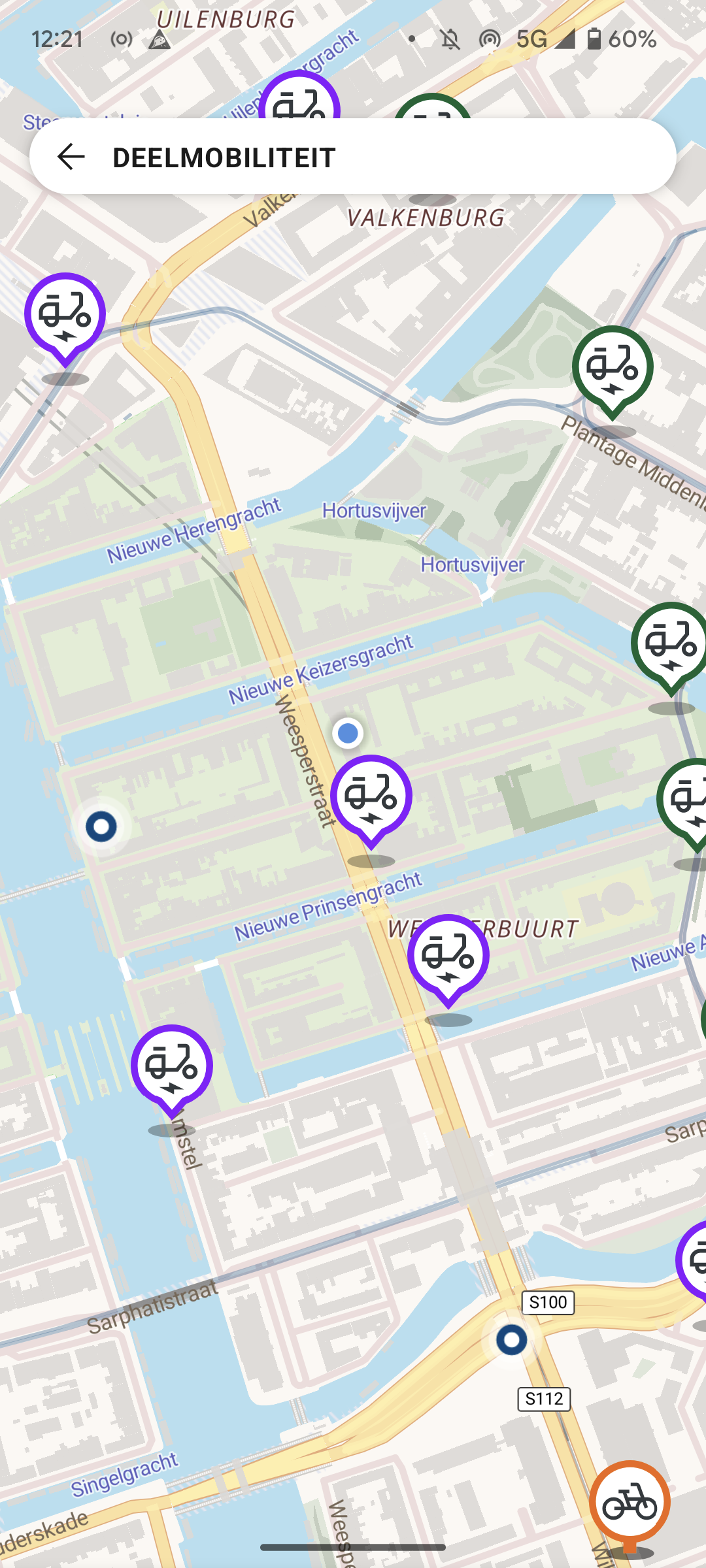
For now please test the new RET apps and share with us your experiences. Besides the ticket functionality we also have a great planner, functionality to easily check departures from nearby stops and a map that shows all the available shared mobility options around you. All those functionalities work everywhere in the Netherlands and are not limited to Rotterdam.
iOS: https://apps.apple.com/nl/app/ret/id1619325571
Android: https://play.google.com/store/apps/details?id=nl.infoplazamob.ret


I’ve used tyy.AI Tools to discover efficient AI solutions, and it’s a great resource for professionals. Check out their AI Girlfriend section for some unique picks too.
I’ve used tyy.AI to streamline my workflow, and it’s a game-changer for finding reliable AI tools. The AI Hashtag Assistant alone saved me hours of trial and error. A must-check for anyone serious about AI!
Interesting analysis! Seeing more regulated platforms like PH799 PH emerge is positive for players – security & fair play are key. Plus, streamlined KYC is a must! Check out ph799 ph slot download for a compliant experience. Good insights here!
¡Vamos Betis! For all the latest Real Betis news and updates, check out realbetis. A must for any Betis supporter. Great resource to keep up with the team!
It’s interesting how much math goes into these games! Seeing RTP around 94-98% is reassuring – knowing the odds feels important. Just checked out nino gaming app casino – seems legit with PAGCOR licensing, which is a big plus for peace of mind! 🤔
It’s fascinating how online gaming platforms are prioritizing transparency now, publishing RTP data! Seeing that commitment to fairness, like with nustar pagcor app, is a positive step. Responsible gaming & regulation are key, especially with age verification!
unlocker.ai – The Ultimate AI Tool for Bypassing Restrictions and Unlocking Content Seamlessly!
https://www.ph789-login.com I am thanksful for this post!
https://www.la93jili.net I am thanksful for this post!
https://www.jilibet004.org I am thanksful for this post!
https://www.pin77.tech I am thanksful for this post!
91phcom https://www.91phcom.net
jiliokcc https://www.jiliokccw.com
jl10 casino https://www.jl10-casino.net
9apisologin https://www.it9apisologin.com
nustar online https://www.etnustar-online.com
2jili https://www.2jili.org
mwplay88fun https://www.mwplay88fun.org
taya333 https://www.taya333.org
jl16login https://www.adjl16login.net
phtaya1 https://www.phtaya1.org
slotphlogin https://www.exslotphlogin.net
taya777login https://www.wtaya777login.com
balato88 https://www.balato88u.com
phtaya 63 https://www.phtaya-63.org
777phl casino https://www.777phl.org
fg777link https://www.befg777link.com
pin77 app https://www.pin77.tech
77jili https://www.77jilig.net
philucky https://www.usphilucky.org
pagcor https://www.ngpagcor.net
okbet15 https://www.okbet15.org
93jili https://www.la93jili.net
vipjili https://www.vipjiliji.com
2222ph https://www.be2222ph.org
jilibet004 https://www.jilibet004.org
ph22login https://www.ph22login.org
okebet168 https://www.okebet168u.org
fb777login https://www.fb777loginv.org
jilivip https://www.jilivipu.net
fb777 slot https://www.fb7777-slot.com
phtaya06 https://www.phtaya06y.com
a45com https://www.a45com.org
ph789 login https://www.ph789-login.com
peryaplus https://www.rsperyaplus.net
pin77 casino https://www.pin77-ol.com
bet777app https://www.bet777appv.org
tongits go https://www.yatongits-go.net
playpal77 https://www.playpal77sy.org
phl789 https://www.nphl789.net
99boncasino https://www.99boncasino.net
gkbet https://www.gkbeth.org
phtaya11 https://www.phtaya11y.com
philbet https://www.philbetts.net
bk8casino https://www.bk8casinovs.com
jililuck 22 https://www.jililuck-22.com
pesomaxfun https://www.elpesomaxfun.com
tayawin https://www.tayawinch.net
tayabet https://www.yetayabet.net
phwin25 https://www.phwin25g.net
pin77 online https://www.pin77-online.com
tg77com https://www.tg77com.org
phtaya01 https://www.phtaya01.org
nustaronline https://www.umnustaronline.org
okebet4 https://www.okebet4u.com
okebet3 https://www.okebet3u.org
98jili https://www.98jilig.com
phtaya10 https://www.phtaya10y.com
peso99 https://www.repeso99.net
jilihost https://www.lajilihost.com
fc188 https://www.mostfc188.org
acewin https://www.exacewin.org
phgaming https://www.rephgaming.net
sss777 https://www.websss777.org
r85 https://www.pokerr85.com
77ph https://www.ad77ph.com
2ph https://www.poker2ph.com
bingo777 https://www.portbingo777.org
okbet88 https://www.adokbet88.org
Luckygame Casino Online Philippines: Fast Luckygame Login & Register to Play Top Luckygame Slots. Get the Official Luckygame App Download Today! Experience the best at Luckygame Casino Online Philippines! Fast Luckygame login & register to play top Luckygame slots. Secure Luckygame app download now for big wins! visit: luckygame
90jili Online Casino Philippines: Secure Login, Easy Register, & App Download for the Best Slot Games. Experience the ultimate gaming at 90jili Online Casino Philippines! Enjoy a secure 90jili login, easy 90jili register, and fast 90jili app download to play the best 90jili slot games. Join now for top rewards and a premium casino experience in the Philippines. visit: 90jili
fb777pro slots|fb777pro login|fb777pro app|fb777pro casino|fb777pro register Join fb777pro, the premier online casino in the Philippines! Register today to play top-rated fb777pro slots, download the official fb777pro app, and enjoy a seamless fb777pro login for the ultimate gaming experience and big rewards. visit: fb777pro
PH235 Online Casino: Official PH235 Login, Register & App Download for Top Slots in the Philippines Join PH235 Online Casino for the best slots in the Philippines! Secure your ph235 login, ph235 register, and ph235 app download today. Access your ph235 slot login now for big wins at the official ph235 online casino. visit: ph235
COD Slot Login & Register: Best Slot Gacor in the Philippines. Access COD Link Alternatif and Download APK for the Ultimate Casino Experience. Experience the best slot gacor in the Philippines at COD! Use our secure COD slot login or COD register today. Access COD link alternatif and the COD download apk for the ultimate casino experience and big wins. visit: cod
That’s a fascinating point about skill and luck in games! Reminds me of happy fish game – it’s surprisingly strategic aiming for those bigger catches, not just random shots! Definitely a fun blend.
Just finished my coffee here in Bali; this platform’s smooth mobile app feels like a breeze. Check out Jili365 club for top-tier slots and live dealer games that keep the adrenaline high while traveling!
Yo! Just discovered this legit social casino with blockchain security and GCash support. Check out these fortune coins games before you sign up for the sweepstakes fun today! fortune coins games
Slots are so fun, but understanding the basics is key! I saw big bunny ph slot download offers a quick signup – 2 mins they say! – which is great for getting started & exploring different games easily. Seems legit!